Kaspi Gold in Apple Pay and Google Pay: 1M cards in 3 days
cards added to Apple Pay and Google Pay in 3 days
for a child to add the card after a parent approves
plus a separate path for kids
Context. For years, people waited for the day they could add Kaspi Gold to Apple Pay.
In 2026, Kaspi finally launched Apple Pay and Google Pay.
At Freedom, I designed +2% cashback for paying with Apple Pay; here, it was adding the card itself. I owned the design of the whole process: both entry points, the security check, the kids’ flow and errors.
Two entry points. From the Kaspi app, only some people go through selfie verification. From Wallet, everyone does.
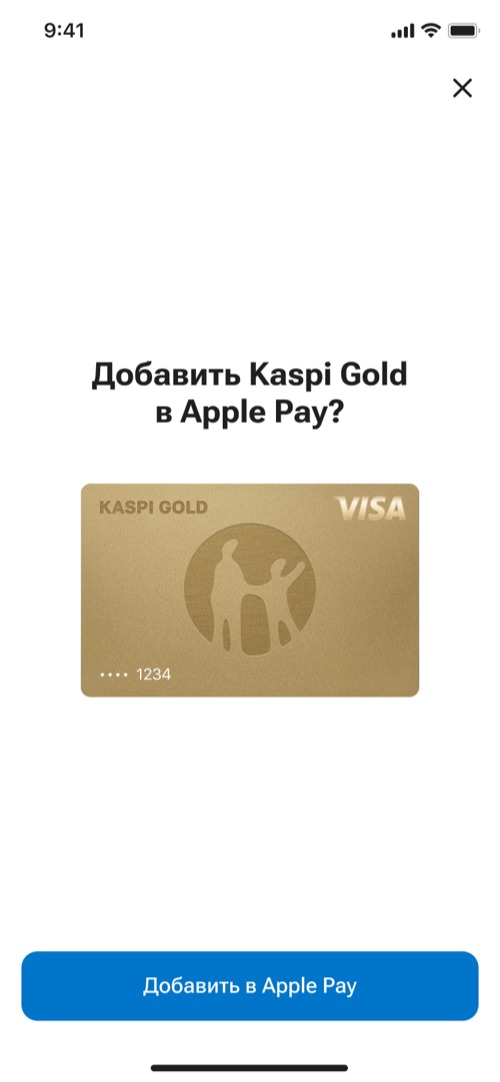
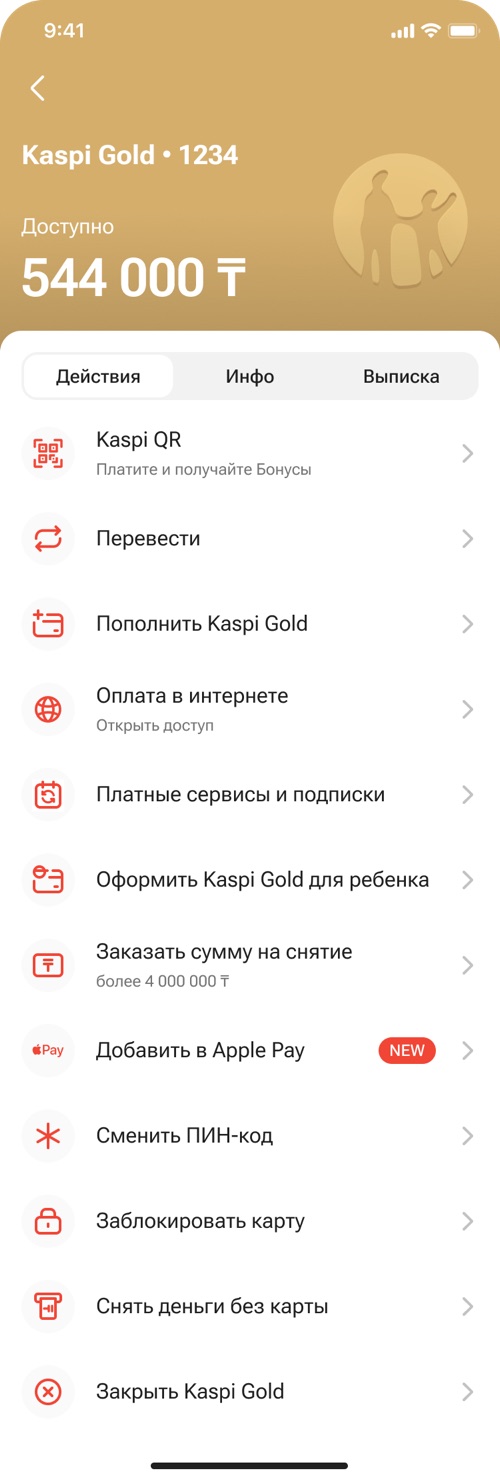
From the Kaspi app. A person taps “Add to Apple Pay” on their Kaspi Gold card. They’re already signed in to the app, so only those flagged by the security system see selfie verification.
From Wallet. A person enters their card in the Apple app, and the bank knows nothing about them. So selfie verification is always required, and confirmation happens in Kaspi.

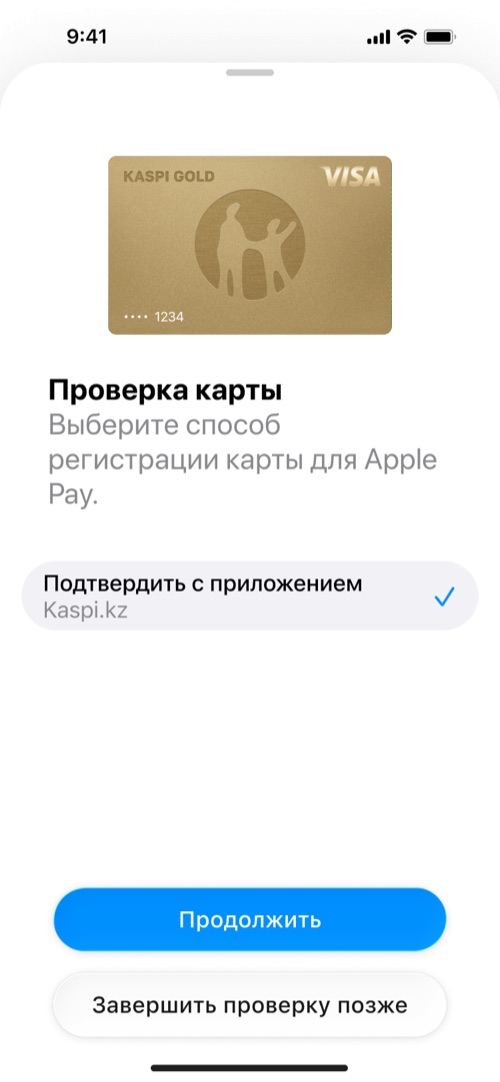
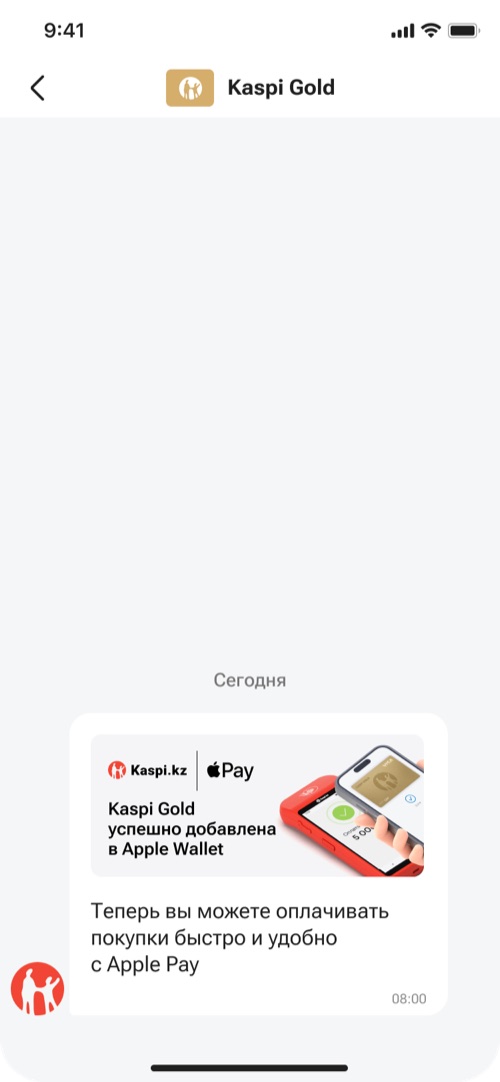
Confirmation. The process changed several times during approvals with Apple and Google.
- At first, the card was confirmed by SMS or a phone call.
- Then we added confirmation in the bank app — it’s more secure than SMS.
- Midway, the security team asked us to build in selfie verification.
- In the end, we kept only confirmation in the Kaspi app: SMS isn’t enough for this kind of check.
We worried the extra step would cause backlash. But Kaspi users are used to selfie verification, and on social media people wrote: “Kaspi is all in on security”.
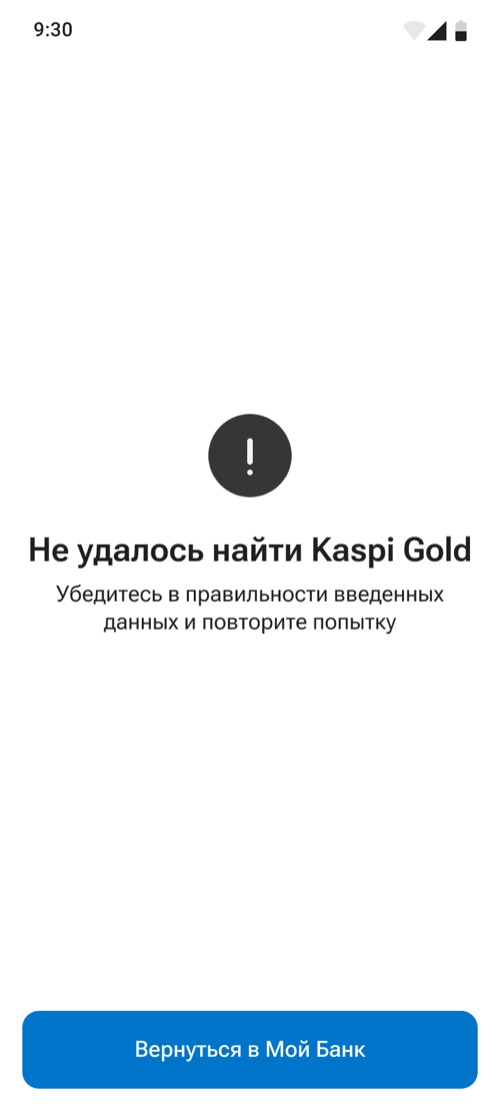
If something goes wrong, the person sees what happened and can go back to the app.

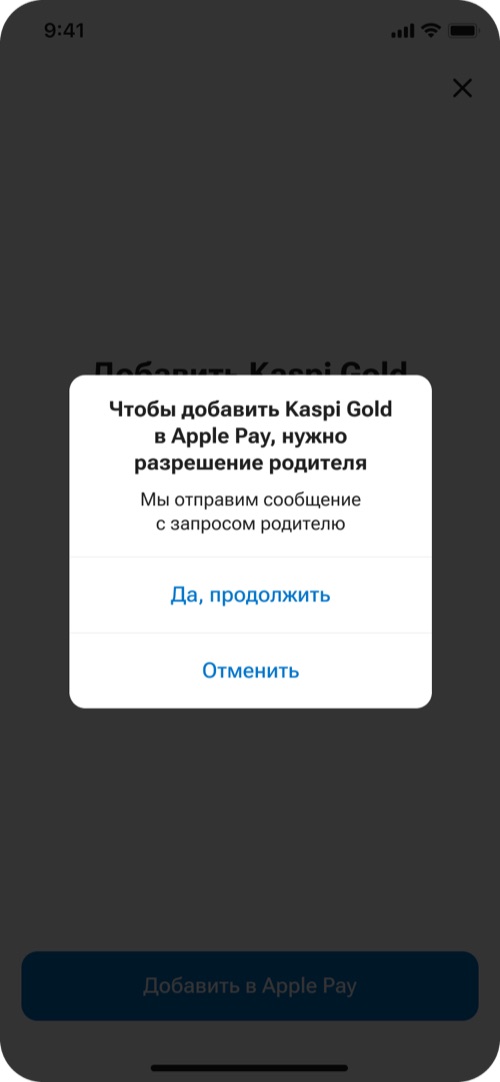
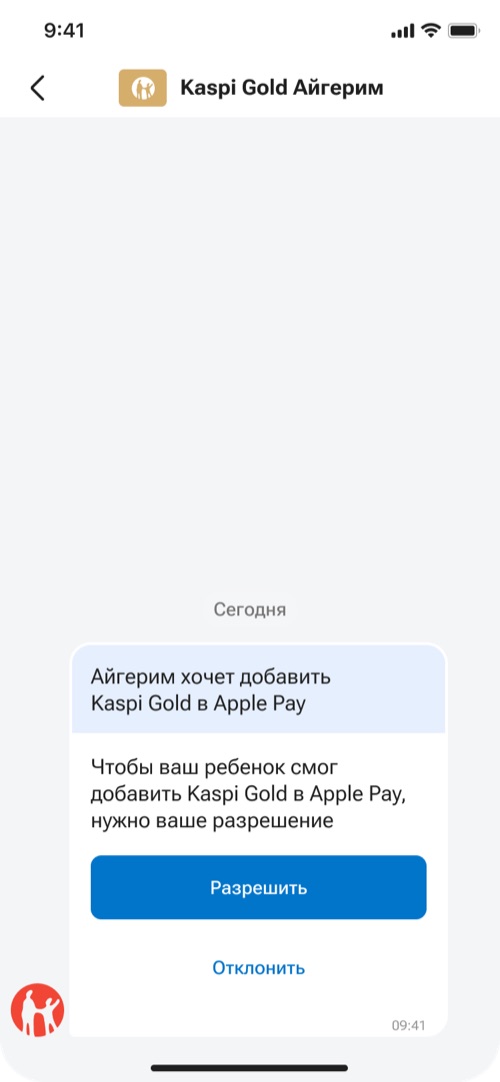
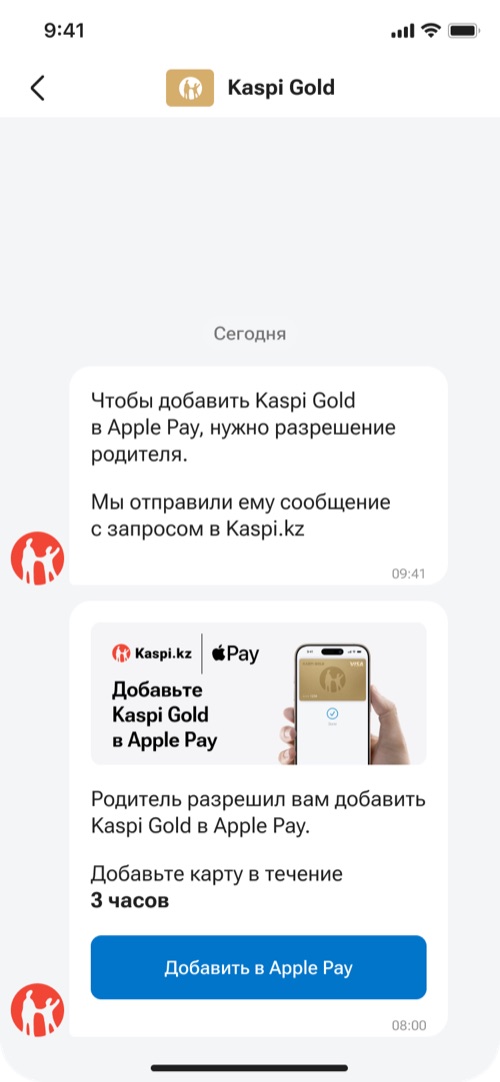
Kids. A child can’t go through selfie verification, so a parent gives permission.
The child sees right away that they need a parent’s permission and doesn’t waste time on a process they can’t finish. The parent approves and goes through selfie verification, and the child gets 3 hours to add the card.
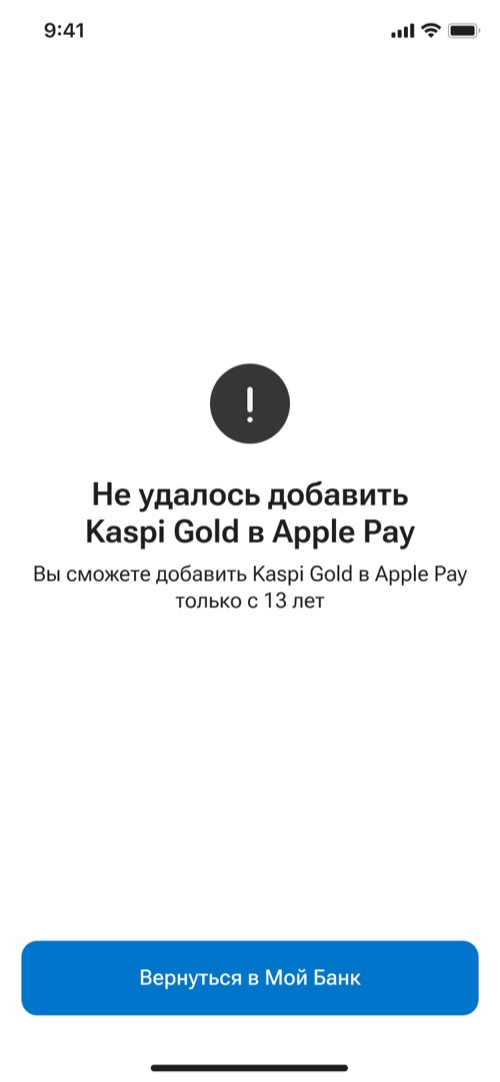
A separate case is kids under 13: Apple Pay isn’t available to them.
I learned about this restriction from my own mistake on Jusan Family, and here I built it in from day one. If such a child tries to add a card from Wallet, they see a clear explanation instead of a generic error.
Result. More than 1 million cards were added in the 3 days after launch.
- More than 1 million cards added in 3 days to Apple Pay and Google Pay after the launch on June 30, 2026.
- The launch got noticed: the media covered it, and people on social media praised the security.
What I learned. Apple and Google have strict rules. Sometimes they leave room for your own solution, sometimes they don’t.
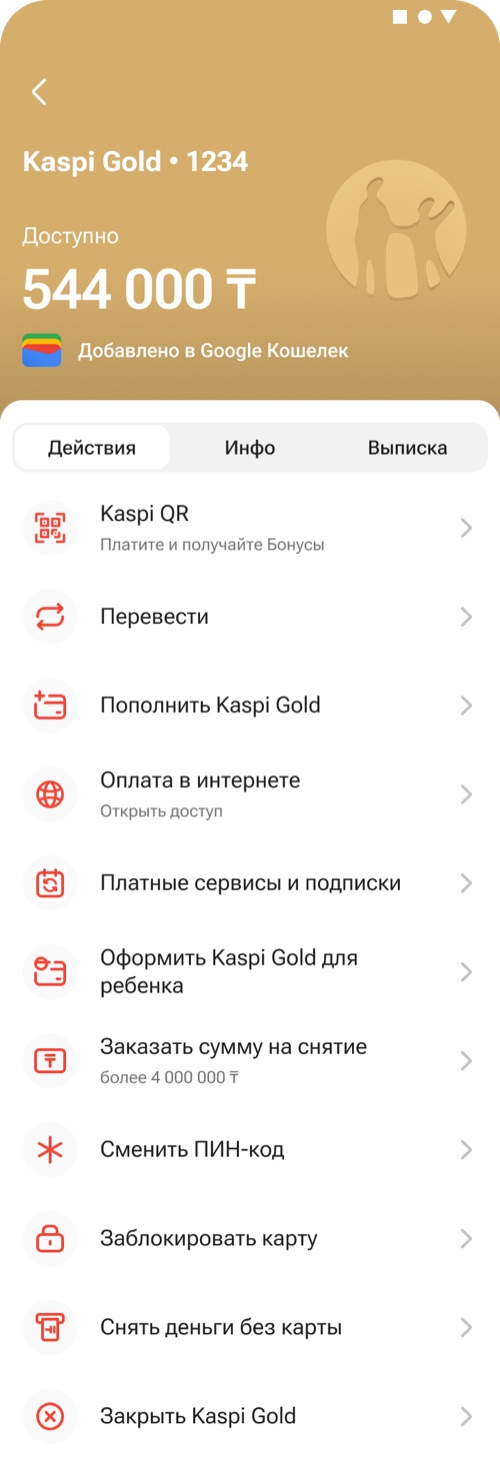
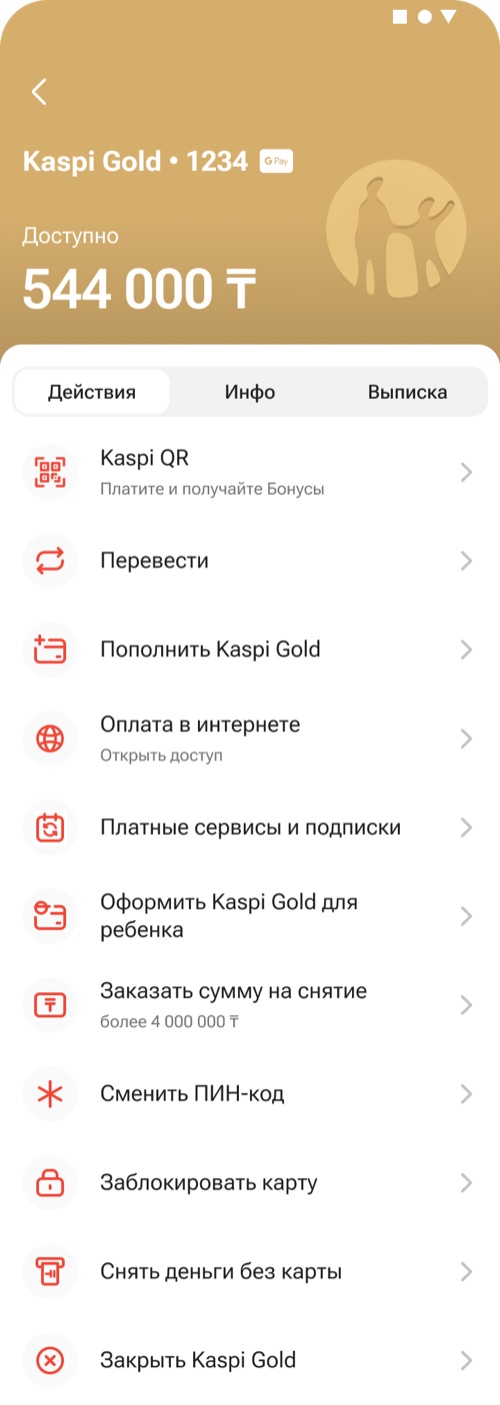
Google required an “Added to Google Wallet” line on the card — it cluttered the header. In the end, the app shows a compact G Pay badge next to the card name.